MicrophoneController
Two-button USB HID controller for push-to-talk, tap-to-toggle, and voice workflows.
MicrophoneController turns a small ATmega32U4 board into a physical control surface for microphone channels, games, transcription, and AI command routing.
What it solves
Software hotkeys are easy to lose in focused windows, game input modes, and voice workflows. A physical controller makes speech modes explicit and reliable.
The device exposes two buttons, two LEDs, and a mode switch. It can act as keyboard HID or gamepad HID, with tap-to-toggle and hold-to-talk behavior built into the firmware.
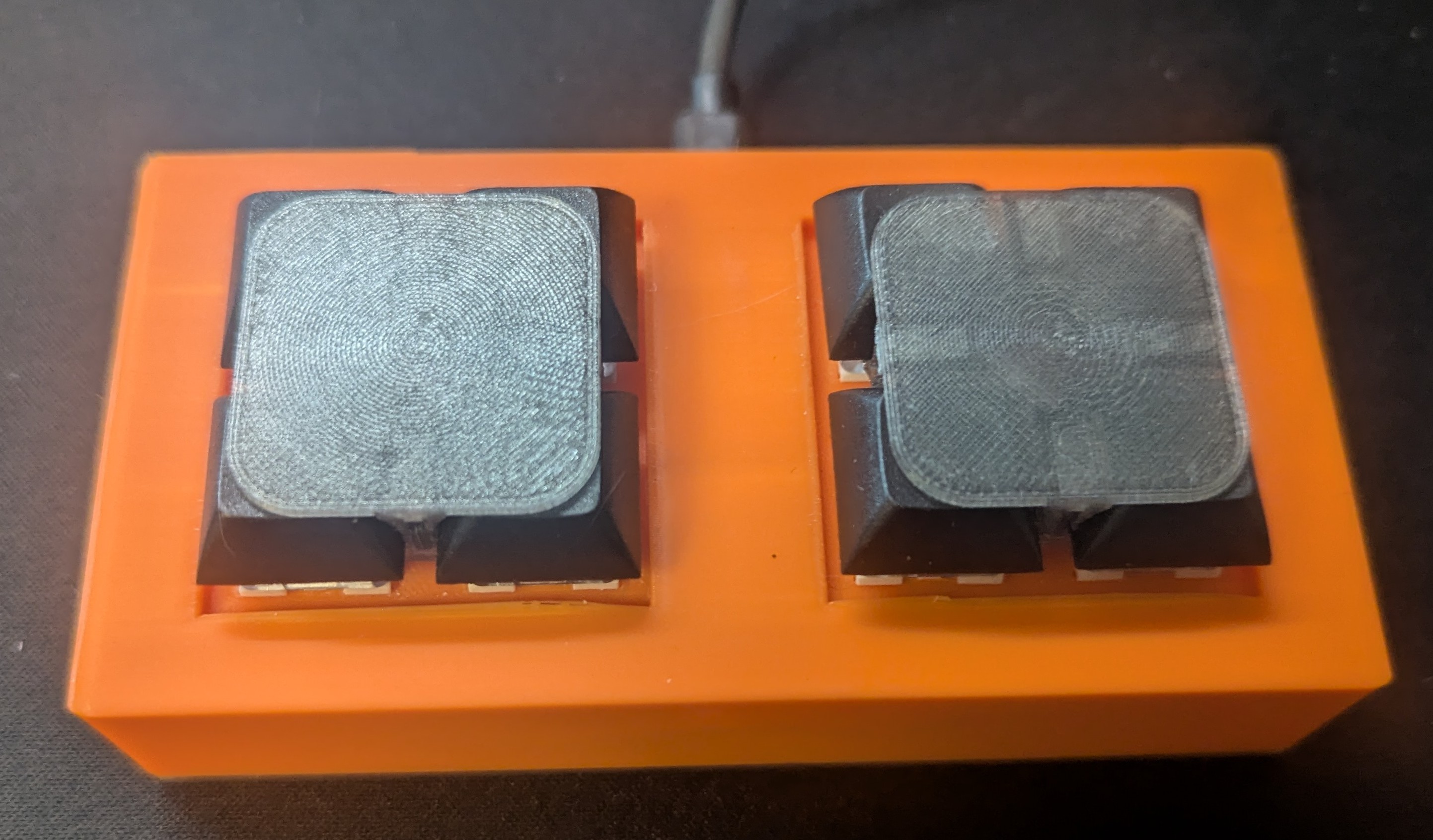 Assembled controller
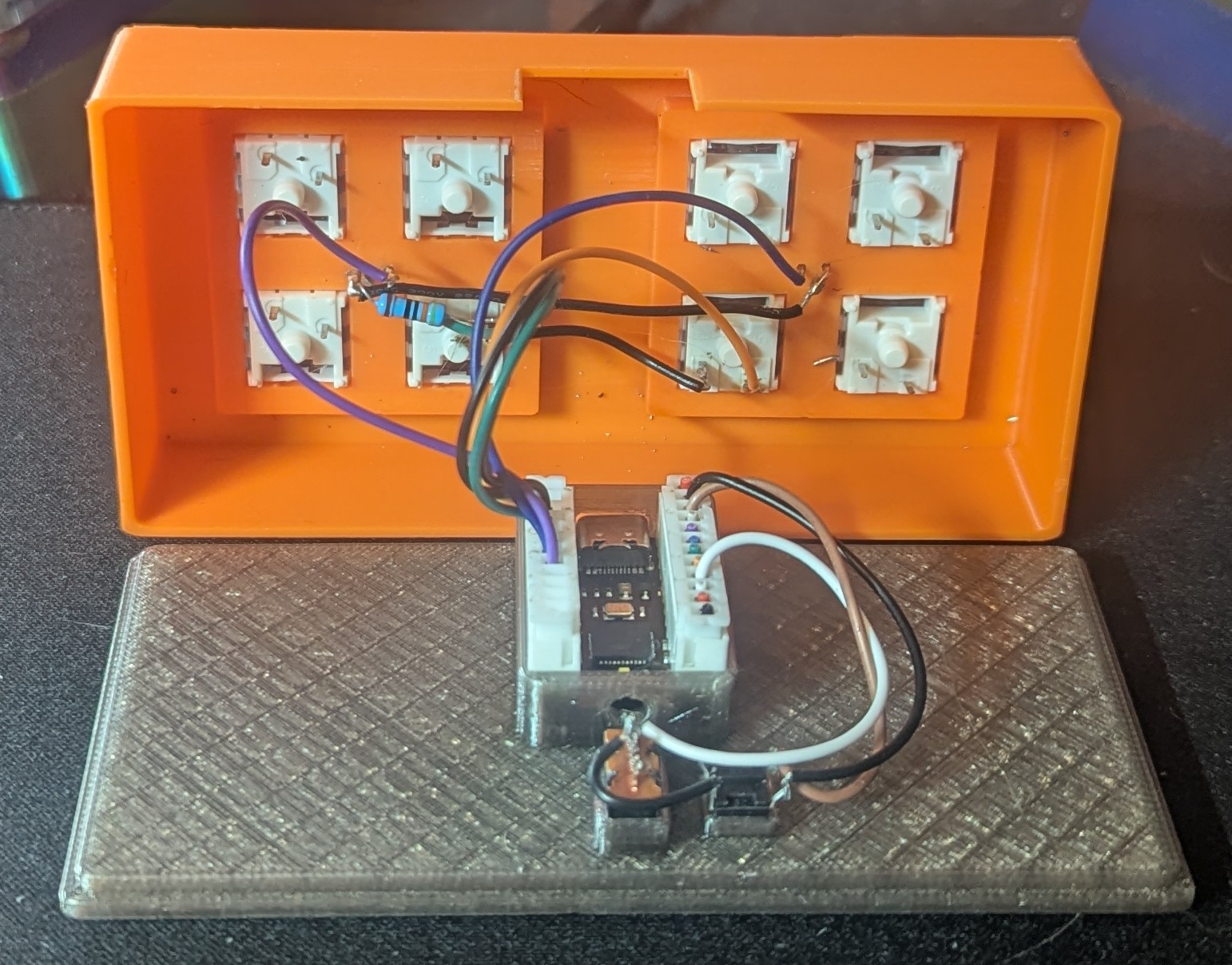 Internal wiring and board
Who this is for
- People who need reliable physical push-to-talk controls
- Linux users pairing hardware with speech transcription
- Game and communication users separating multiple mic channels
- Builders experimenting with small USB HID devices
What it does
MicrophoneController began as a way to control multiple microphone channels in games and communication apps, such as team and proximity chat. The controller uses two buttons so the user can push-to-talk or tap-to-toggle without guessing whether a channel is active.
Today I mainly use it with WhisperTranscribe. One button maps to Scroll Lock for direct transcription, while the other maps to Pause for LLM command mode. A bottom switch changes whether the device sends keyboard or gamepad HID output.
Workflow covered
- Select output mode - use the hardware switch to choose keyboard HID or gamepad HID depending on the target application.
- Tap or hold - tap to toggle a microphone state, or hold to send active push-to-talk until release.
- Route speech - pair the two hotkeys with WhisperTranscribe so one button types text and the other sends voice commands to an LLM.
Technical highlights / stack
Why it matters
Good automation often starts with physical affordances. The controller makes voice mode visible and tactile, which is much harder to achieve with only global hotkeys.
Challenges
- Keyboard HID output interfered with controller detection in some games.
- AI-generated hold-or-toggle code was unreliable and needed a manual rewrite.
- Tap, hold, latch, release, and mode-switch states had to stay predictable.
- Physical wiring needed to stay simple enough for future enclosure iterations.
Current scope
Hardware
- nullbits Bit-C PRO
- Buttons on D2 and D3
- LEDs on D4 and D5
- Mode switch on D15
Inputs
- Keyboard Scroll Lock
- Keyboard Pause
- Gamepad button 8
- Gamepad button 9
Possible next
- Configurable hotkeys
- WebUSB setup tool
- Updated enclosure
- Hosted configuration UI
Related work
What to do next
Watch the demo or inspect the firmware if you want to see the HID mode split, tap/hold state machine, and wiring assumptions.