WhisperTranscribe
Linux push-to-talk transcription and voice command routing for the focused desktop.
WhisperTranscribe records while a hardware key is held, transcribes with whisper.cpp, then either types into the focused window or routes speech through an LLM-backed command parser.
What it solves
I built this transcription and voice command daemon to fit my use case on Linux. I wanted to use open source speech recognition and the two button MicrophoneController that I had already built. The ability to easily switch between transcription and command routing through local or cloud LLM backends was important, as was a tray app for changing hotkeys, backends, and models without editing config files.
As I used AI more in my daily workflow, using the keyboard less and relying more on voice commands became more useful. This application streamlines the workflow for hands-free productivity.
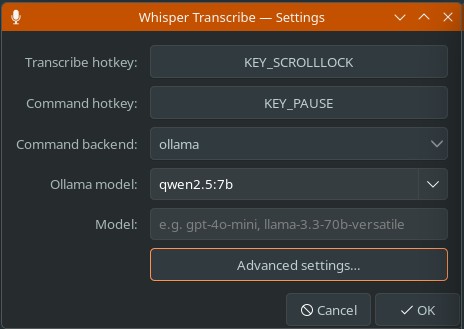 Tray settings
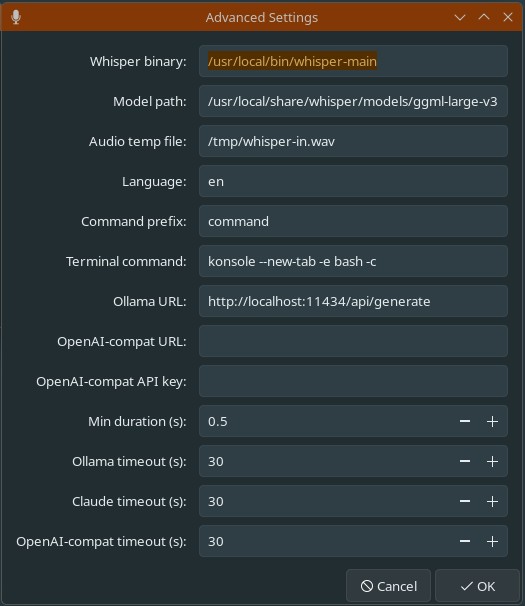 Advanced settings
Who this is for
- Linux desktop users who want fast voice-to-text insertion
- People using physical hotkeys for hands-free workflows
- Developers comparing local and cloud LLM command backends
- Builders interested in evdev, PipeWire, ydotool, and tray apps
What it does
WhisperTranscribe is a Python daemon driven by the two-button MicrophoneController USB HID device. Both buttons share the same hold-to-record flow: audio is captured while the key is held, transcribed by whisper.cpp on release, and routed based on the trigger.
Scroll Lock injects transcription directly into the focused window via ydotool. Pause routes the text through a configurable LLM backend that must return one executable action: launch a GUI app or URL, run a terminal command, or inject a key sequence. A tray icon exposes service state and settings without editing config files.
Workflow covered
- Capture and transcribe - watch selected evdev devices, record with PipeWire while a key is held, and run whisper.cpp on release.
- Type or command - inject direct text for transcription mode or route text into a strict command parser for LLM mode.
- Configure and supervise - use the tray to change hotkeys, backends, models, binary paths, device filters, GPU mode, and systemd service state.
Tech Stack
Challenges
- Implementing the tray icon and settings Linux tray in the latest Plasma version was the most challenging part of this project. The tray standards are fragmented and the documentation is sparse so AI required a lot of coaching to get the tray working correctly.
- Working with multiple device involved blocking the hotkeys on the main device and so they wouldn't interfer with the configured hotkeys. Hotkey need to be keys that are generally not used, in my case don't exist on my keyboard.
- Supporting as many local and remote models as possible, this will likely expand as the AI ecosystem evolves.
Related work
What to do next
Review the source if you want to inspect the evdev watcher, whisper.cpp invocation, ydotool insertion, strict command parser, LLM backends, or GTK tray settings.